

Why Developers Love the Donobu MCP Server
Test as you code with your AI assistant
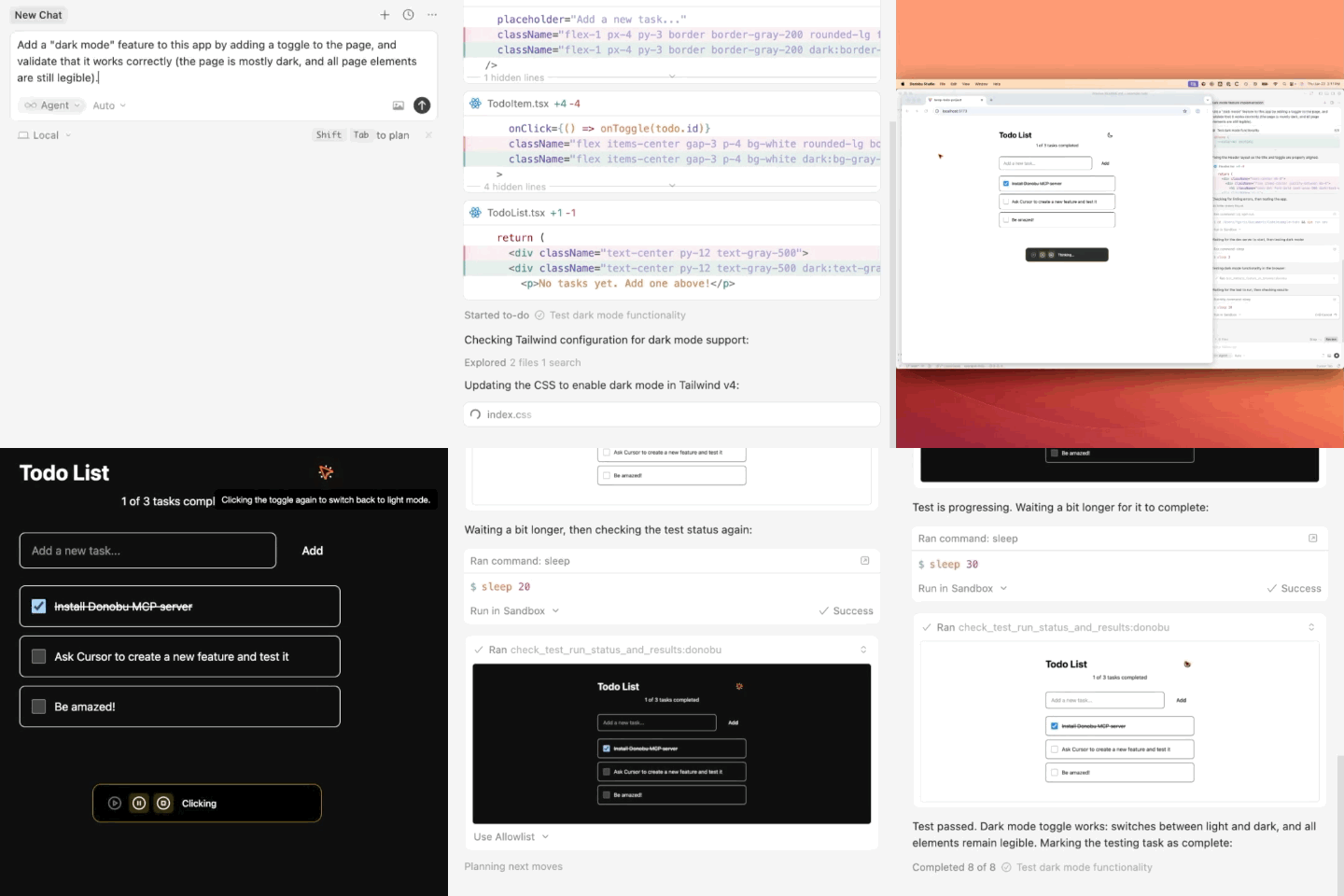
The Donobu MCP server integrates directly into your coding workflow, allowing your LLM assistant to test new features in a real browser as you develop them.
No more context switching between coding and manual testing. Your AI assistant can verify functionality in real-time, catching issues before they reach production.
When you're done, let Donobu MCP generate a Playwright test for your new feature, with advanced AI-driven assertions and self-healing capabilities, all powered by Donobu.
Why You Should Use the Donobu MCP Server
Compare manual testing approaches with the Donobu MCP server's AI-powered validation.
Manual Testing Approach
- Developer manually opens browser for each test
- Manually clicks through every flow and interaction
- Manual verification of results is time-consuming
- Prone to human error and inconsistency
- Difficult to reproduce exact test conditions
- No automated record of what was tested
Donobu MCP Server
- AI assistant automatically tests in real browser
- Tests run while you continue coding
- Consistent, repeatable test execution
- Automatic verification with intelligent assertions
- Complete test recordings and screenshots
- Generate Playwright tests from successful runs
Here's How the Donobu MCP Server Works
Install Donobu Studio
Download and launch the Donobu Studio app to enable fully autonomous, browser-based testing.

Install the MCP server
Add the Donobu MCP server to your LLM configuration. It integrates seamlessly with Claude, Cursor, VS Code, and other MCP-compatible tools.
{
  "mcpServers": {
    "donobu": {
      "command": "npx",
      "args": ["@donobu/mcp@latest"]
    }
  }
}

Ask your AI assistant to test new features
Your AI assistant can now test new features directly in any browser, providing immediate feedback and catching issues during development.
Save your test runs as Donobu-powered Playwright tests
Once testing is complete, automatically convert successful runs into production-ready Playwright tests with intelligent assertions and built-in self-healing, powered by Donobu, ready to add to your test suite.
Key Features
Everything you need for AI-powered browser testing during development.
Real Browser Testing
Test in actual Chrome, Firefox, or Safari browsers, not simulated environments.
Instant Feedback
Get immediate validation on code changes without manual testing.
Screenshot Capture
Automatically capture screenshots of test results for documentation.
Flow Recording
Record complete user flows to share with your team or use in documentation.
MCP Compatible
Works with any MCP-compatible LLM tool including Claude and Cursor.
Local Development
Test localhost applications during development without deployment.